Meet Inspector
Scan for accessibility issues, test real user flows, fix problems at the component level, and get compliance reports your team can act on.
How it works
Connect a project
Connect your repository - GitHub, GitLab, or Bitbucket - and Inspector picks up the framework - React, Vue, Angular, Svelte - and starts scanning continuously.
Issues get triaged automatically
Every finding is graded by severity, assigned to a teammate, and tracked through Open, In Progress, and Resolved.
Components and flows get audited, not just pages
Design-system components are checked once at the source, and multi-step flows like checkout are tested step by step for things like focus traps.
Generate the compliance report you need
EN 301 549, VPAT 2.5/ACR, Section 508, AODA - tracked against your conformance target with a statement-readiness checklist.
What gets checked
Contrast
Text and UI colors against WCAG's minimum ratios.
ARIA
Roles, states, and properties exposed to assistive tech.
Keyboard
Focus order, visible focus, and reachability without a mouse.
Structure
Headings, landmarks, and document outline.
Forms
Labels, error messages, and required-field handling.
Media
Alt text, captions, and transcripts.
Focus management
Modals, drawers, and dialogs trap and restore focus correctly.
Motion & animation
Respects reduced-motion preferences, no unexpected auto-play.
Live regions
Dynamic content updates get announced to assistive tech.
What it looks like
Real screens from the product - scores and trends, actionable findings, component and flow testing, and the compliance reports you hand off.
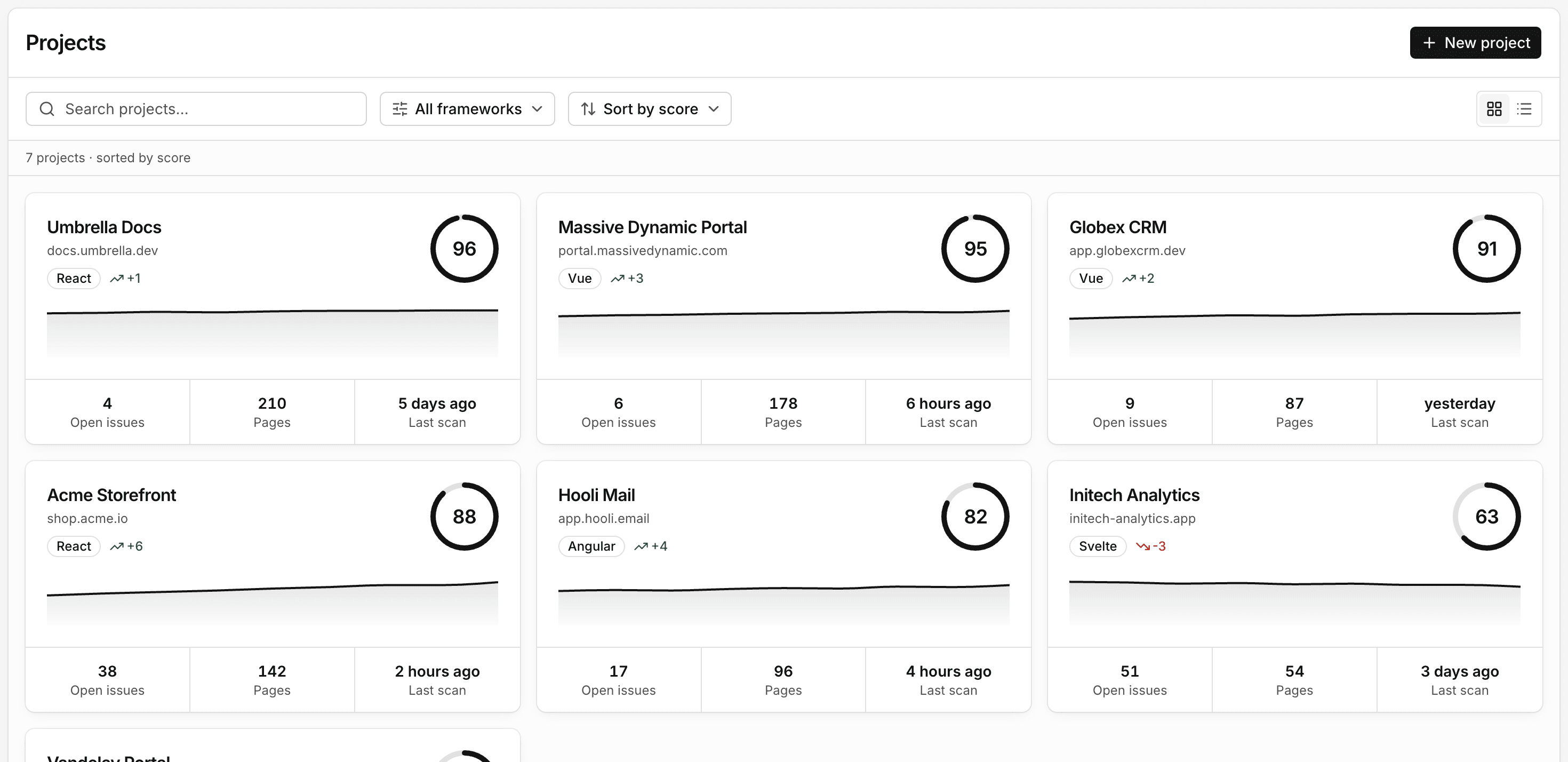
A score per project
Every project gets scanned continuously and scored on a 0-100 scale, so you can see accessibility improve or slip week over week instead of finding out at the next audit.
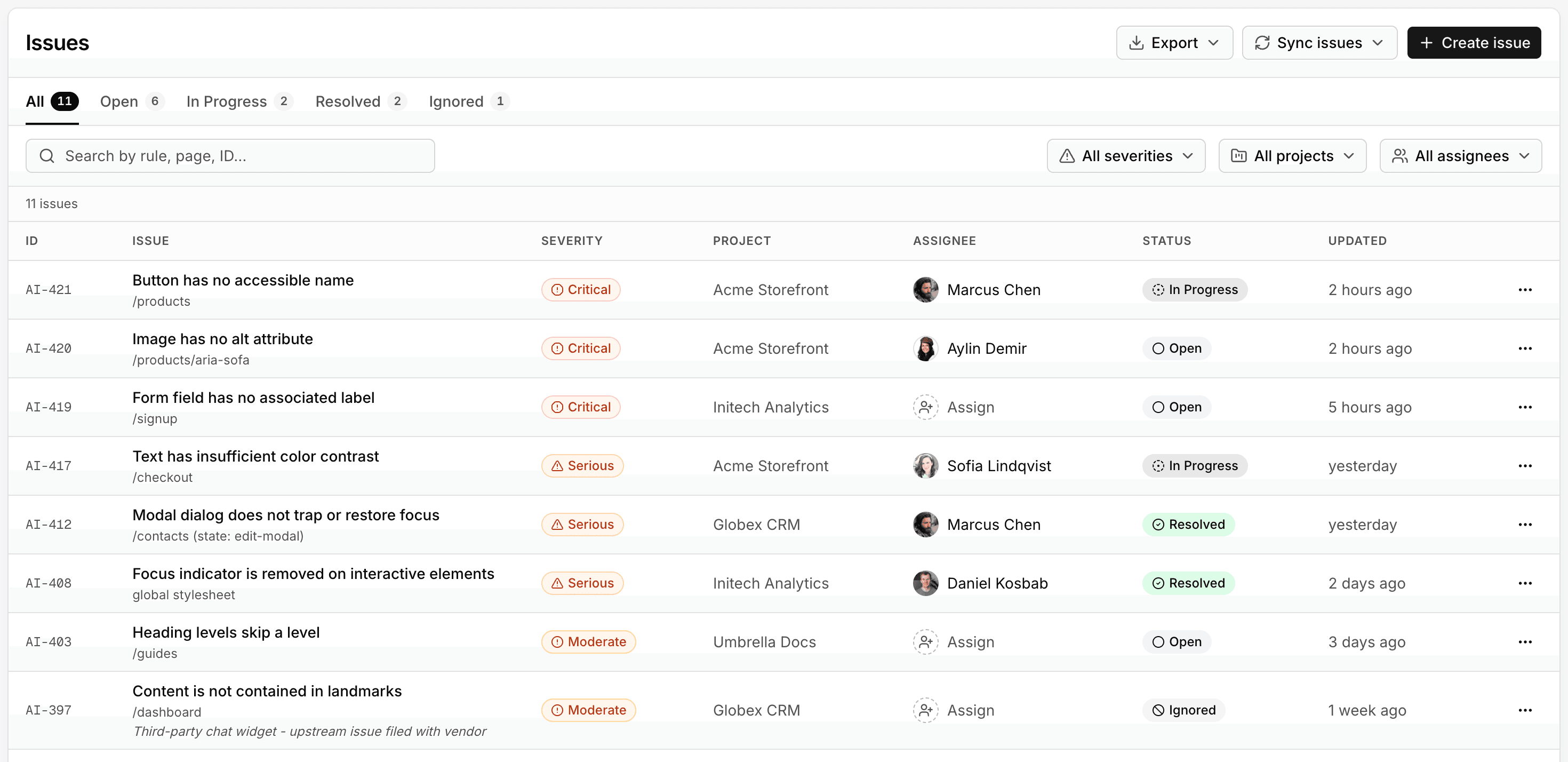
Findings mapped to WCAG
Each issue arrives graded by severity and tied to the exact WCAG rule it relates to, with the page and element it occurs on. Assign it to a teammate and track it from open to resolved, right alongside the rest of your team's work.
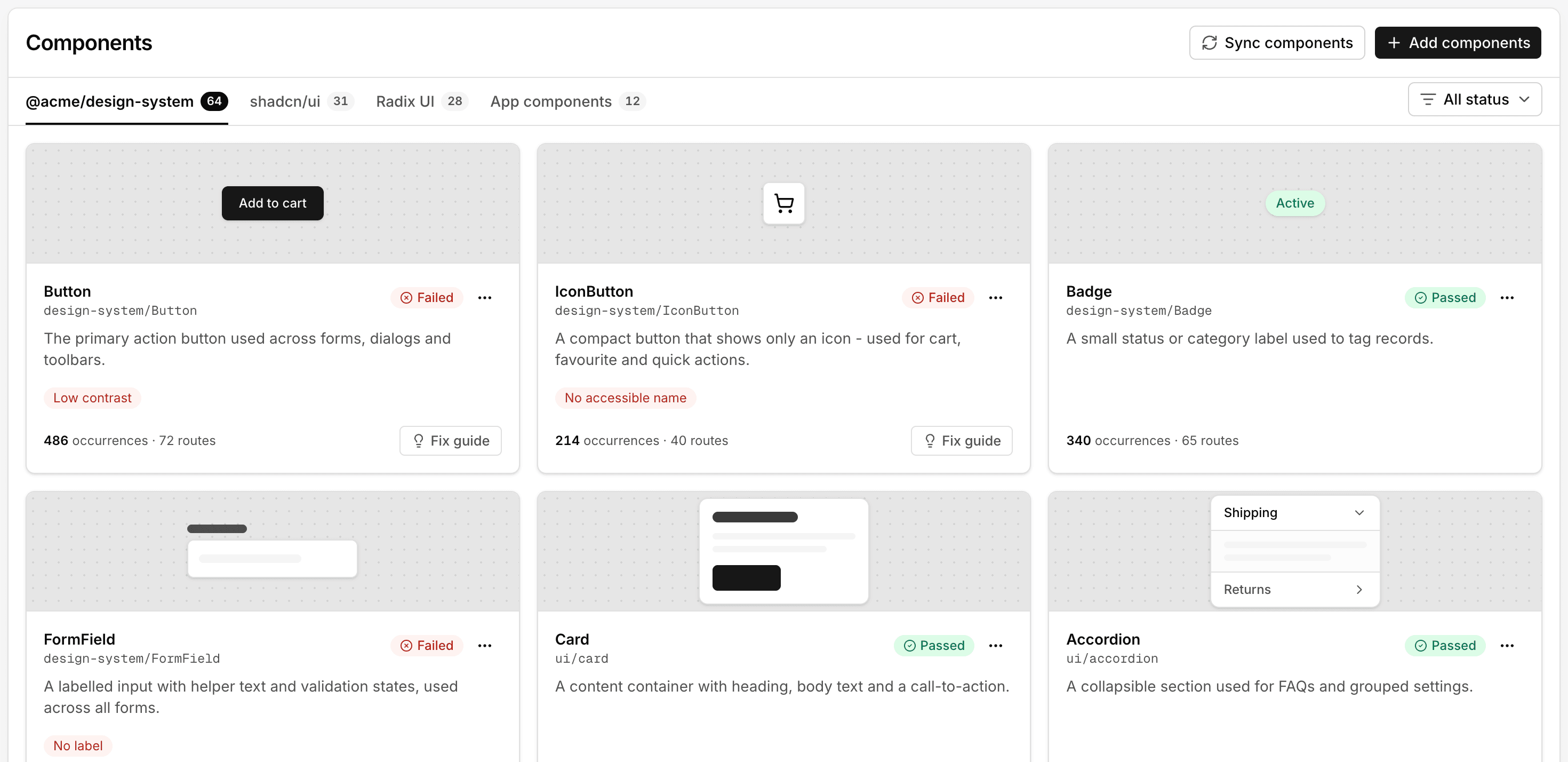
Component-level fixes
Connect your design system - a private npm registry, components/ui, shadcn - and every component gets its own pass/fail status, occurrence count, and fix guide. One inaccessible button gets found a single time, before it ships into a hundred pages.
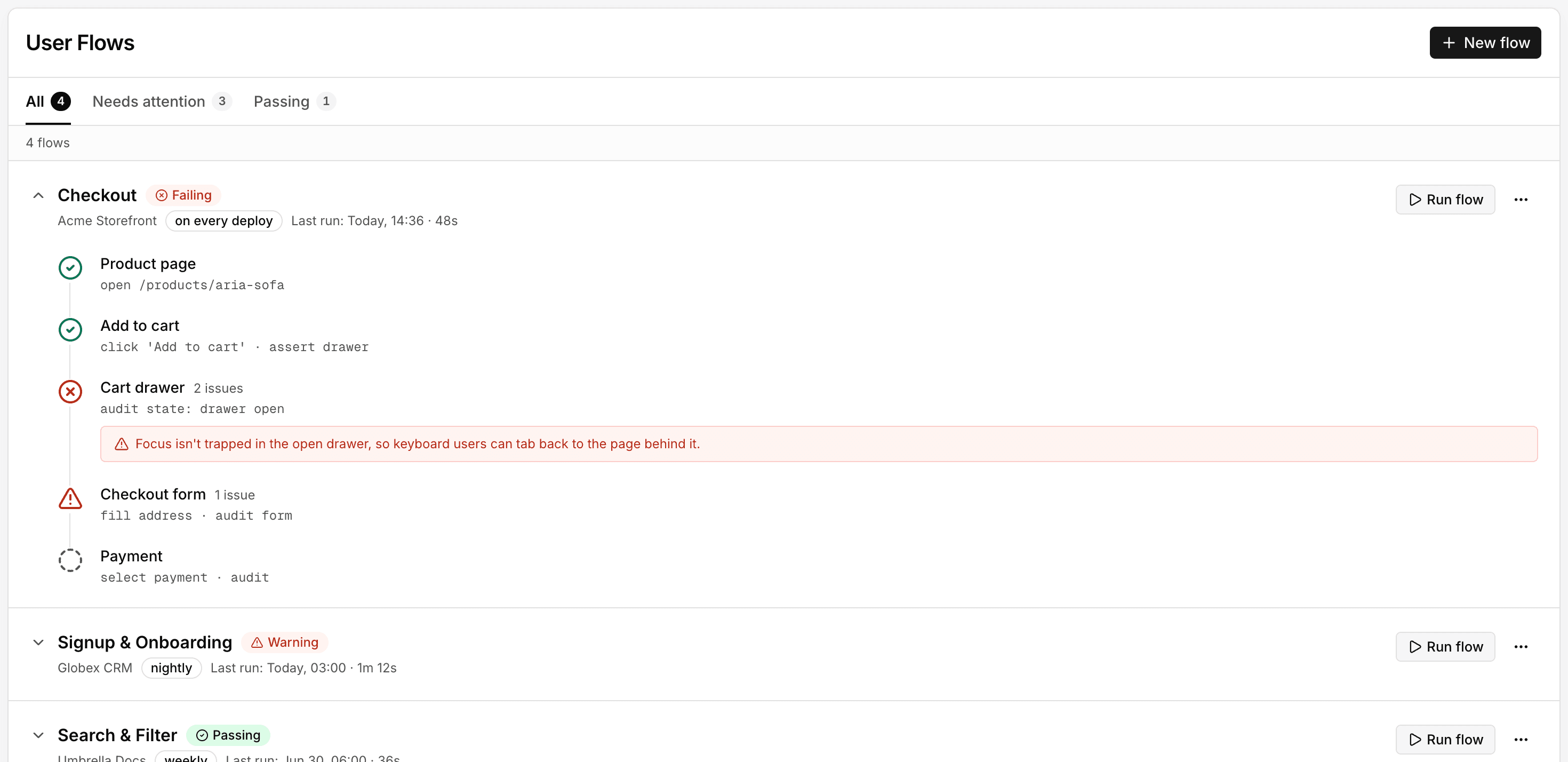
User flow testing
Check multi-step flows - checkout, onboarding, sign-up - step by step, on a schedule or on every deploy. When a step fails, like a modal that doesn't trap focus, you see exactly which step and why.
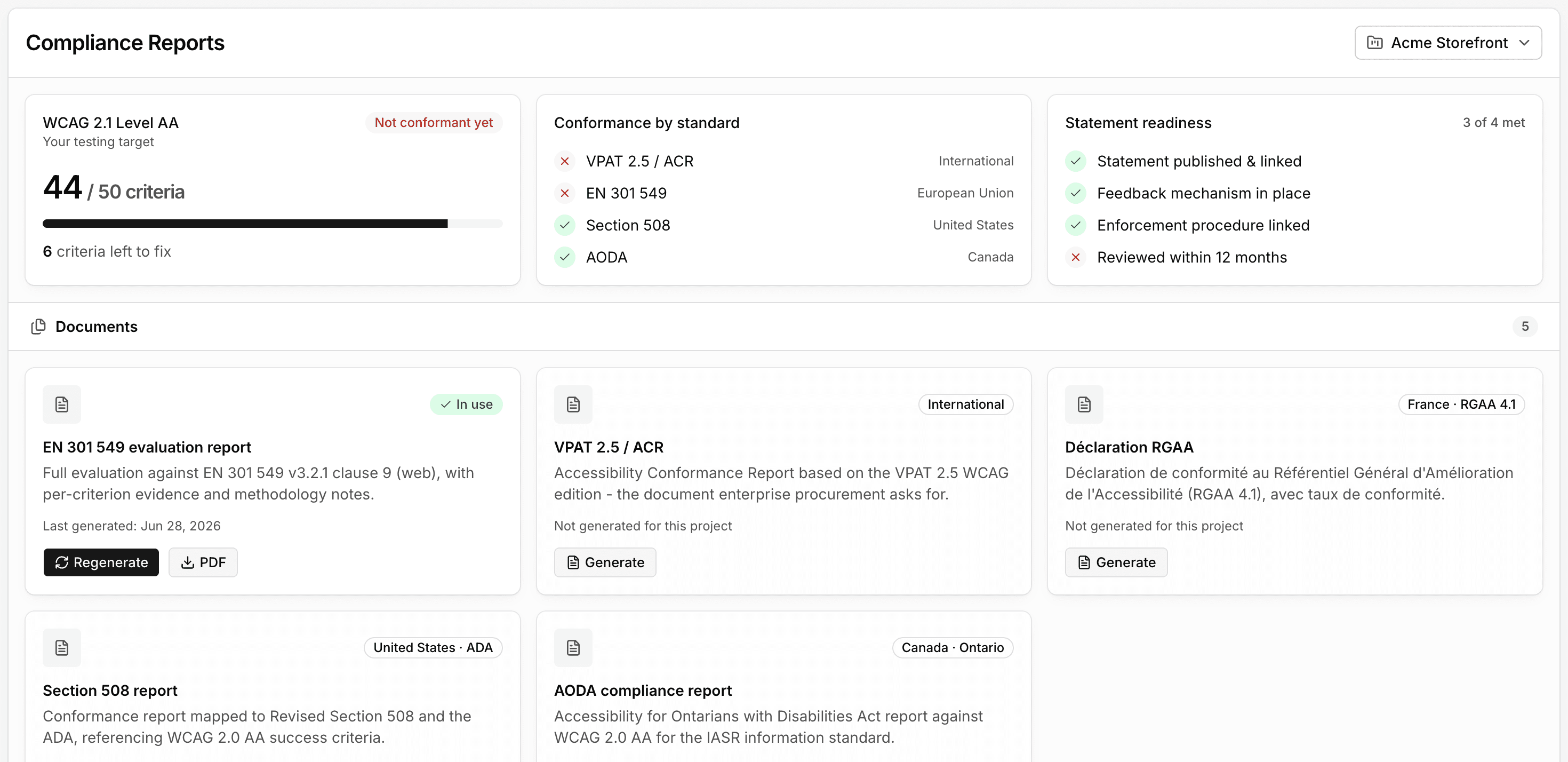
Compliance reports
Set a conformance target - WCAG 2.1 AA, for example - and track criteria met against it. Generate the report someone actually asked for - EN 301 549, VPAT 2.5/ACR, Section 508, AODA - and check statement readiness before you send it.
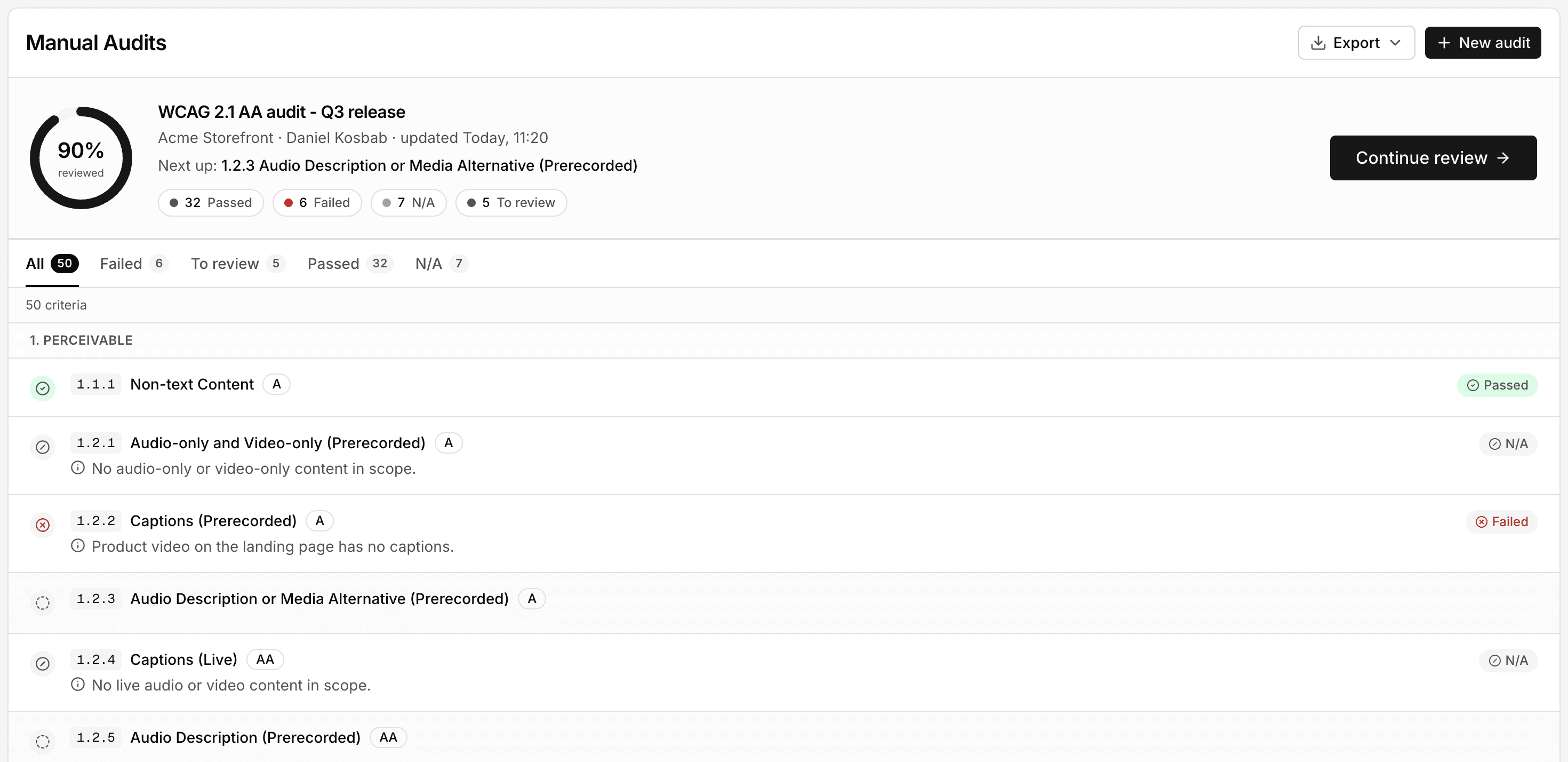
Structured manual review
Work through every WCAG criterion one by one, marked passed, failed, N/A, or still to review, with an overall percent reviewed. Automation catches a large share of issues, but full conformance still needs this kind of human judgment - and it feeds into the same findings and reports as the automated scans.
Works with your stack
Runs against apps built with any major framework, and connects to the tools your team already uses.
Runs against
Connects to
Two ways to run it
We're planning two deployment models - here's where each one stands today.
Self-hosted
Run Inspector inside your own infrastructure.
- Your code and scan data never leave your network
- You control updates, scaling, and retention
- Fits strict compliance or data-residency requirements
Cloud
A fully managed version, hosted by us.
- No infrastructure to run or maintain yourself
- Connect a repository and start scanning in minutes
- We handle updates, scaling, and uptime